It’s really nice having CI running locally
I was tired of waiting on GitHub Actions to see if I broke anything in my last commit. Why did I need network access and a fleet of containers just to run a few linters and tests? I felt like a chump!
The nature of validation during development
Layers of checks are necessary
Every software development process uses a set of automated checks which reduce the likelihood of end users experiencing a harmful change. Some of these checks are cheap, like making sure changed files are correctly formatted, or typechecking small programs. But many are expensive, like UI tests.
These checks are run with frequency inversely proportional to their wall clock execution time. In other words, fast checks are run very often, usually in blocking precommit git hooks. Slow checks are run less often, perhaps only on cloud CI servers triggered by commits to branches. And sometimes checks are so slow or flaky they are only run on the main branch after changes are landed, to be looked at later.
Layers make feedback loops worse
It’s very easy to break something you aren’t looking at. If you’re working on, for example, a design system library, you might introduce a change that breaks a UI test in your main application. If you don’t run your application’s UI tests until you open a pull request, you’re at risk of breaking something without noticing until you’re out of flow state.
Another problem is unique to coding agents: they often want to run an expensive check themselves which has already run elsewhere, because they have no concept of time. Claude is happy to run a UI test suite that takes ten minutes just to “reproduce an issue from CI.”
Remote checks are a tradeoff
Running all your checks remotely can give you parallelism and better laptop battery life. But it has major downsides. For one thing, you need to be on a network. For another, the service you rely on needs to be up, which in the era of not-even-one-nine-of-GitHub-uptime is iffy.
Assuming you’re on a network, and the service is up, now you need to use the service to view results. There is cognitive load to clicking around a CI provider’s UI, or needing to go through extra steps to download a raw log or a build artifact.
LocalCI is a different way of doing continuous validation
Wrestling with these problems in a personal project led me to ask, what if I could get all the best benefits of remote CI without needing an external service? Many of us are sitting here with 16+ core CPUs and tens of gigabytes of RAM, using that power to mostly compile JavaScript programs and serve web pages. The checks we care about most are often IO-bound and need a tiny fraction of that power.
Suppose you could run every check after every commit automatically and check on the results later. What would be the impact?
- Memory and diligence of a human or agent are no longer a factor in which checks run.
- Results are just files on your disk. No mandatory over-built web UI.
- You can use it on an airplane without paying for wifi.
- It is easier to commit code that fails fast checks. Arguably not a problem since you can amend.
I built LocalCI to see how far I could take this idea. At a high level, it adds a postcommit hook which enqueues tasks in a background process, and provides multiple ways of interacting with tasks and results.
Here’s how it works once you install the postcommit hook:
> git commit -am "test commit"
[//:postcommit] $ ~/dev/cli/localci/mise-tasks/postcommit --repo /Users/<reacted>/dev/…
cwd: /Users/<reacted>/dev/cli/localci
Enqueued 1 task for /Users/<reacted>/dev/cli/localci at 4dacf08719844468d1965830ea5307adec10571c
Status: localci status --repo /Users/<reacted>/dev/cli/localci --commit 4dacf08719844468d1965830ea5307adec10571c
Results: http://127.0.0.1:61924/repo/Users/<reacted>/dev/cli/localci/commit/4dacf08719844468d1965830ea5307adec10571c

Wait: localci wait --repo /Users/<reacted>/dev/cli/localci --commit 4dacf08719844468d1965830ea5307adec10571c
[tmp 4dacf08] test commit
 1 file changed, 2 insertions(+)
Once you see this text, the daemon is running and you can look at the results via the cli, an interactive terminal UI, or a web browser.
With the CLI, you'd usually use localci wait to await results and then print them.
> localci wait
Completed
repo     /Users/steve/dev/cli/localci
commit   4dacf08719844468d1965830ea5307adec10571c
summary  18 passed, 1 failed, 0 timed out, 0 not run
message  test commit
branch   tmp

Failed Tasks
status  task        attempt  duration  failure
failed  noisy-fail  1        181ms     exit
  Output: /Users/steve/Library/Caches/localci/7fcbc2dda3b75a7eb817158c05616922/4dacf08719844468d1965830ea5307adec10571c/out/___localci_noisy-fail/attempt-001
  Results: http://127.0.0.1:61924/repo/Users/steve/dev/cli/localci/commit/4dacf08719844468d1965830ea5307adec10571c/task/%2F%2F:localci:noisy-fail
  Primary artifact: combined.log
  Primary log path: /Users/steve/Library/Caches/localci/7fcbc2dda3b75a7eb817158c05616922/4dacf08719844468d1965830ea5307adec10571c/out/___localci_noisy-fail/attempt-001/combined.log
localci: localci run failed
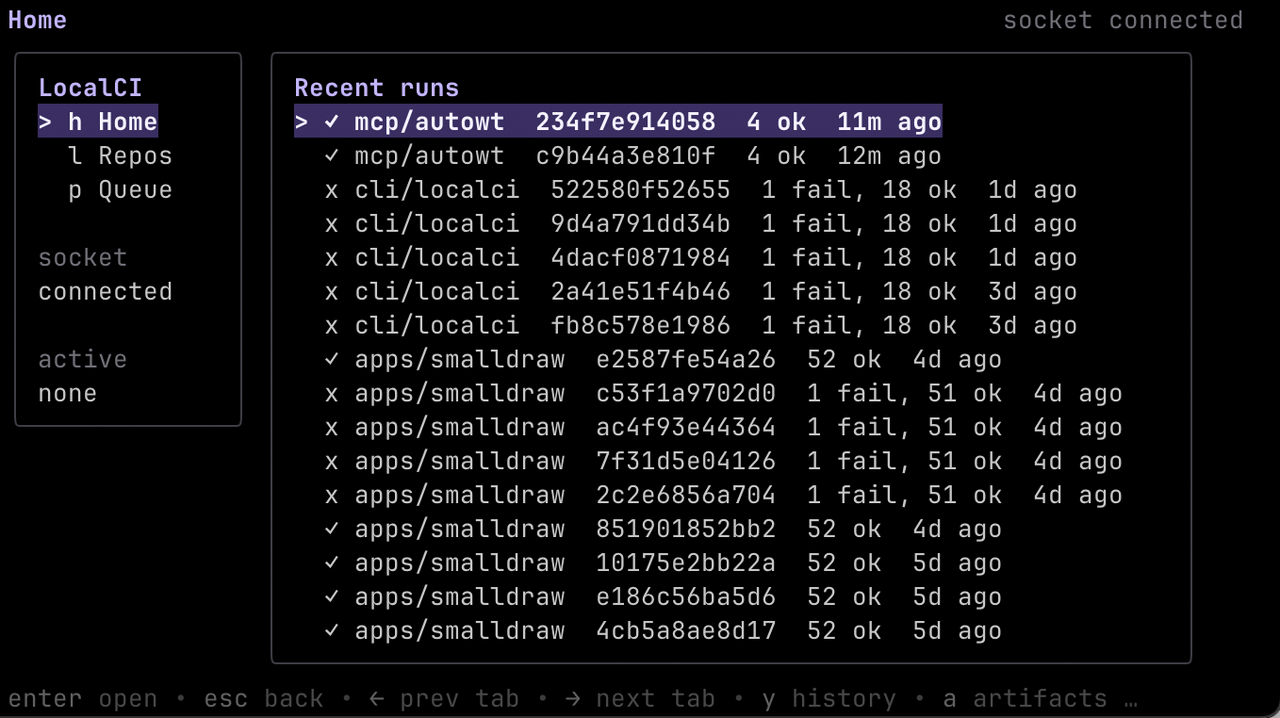
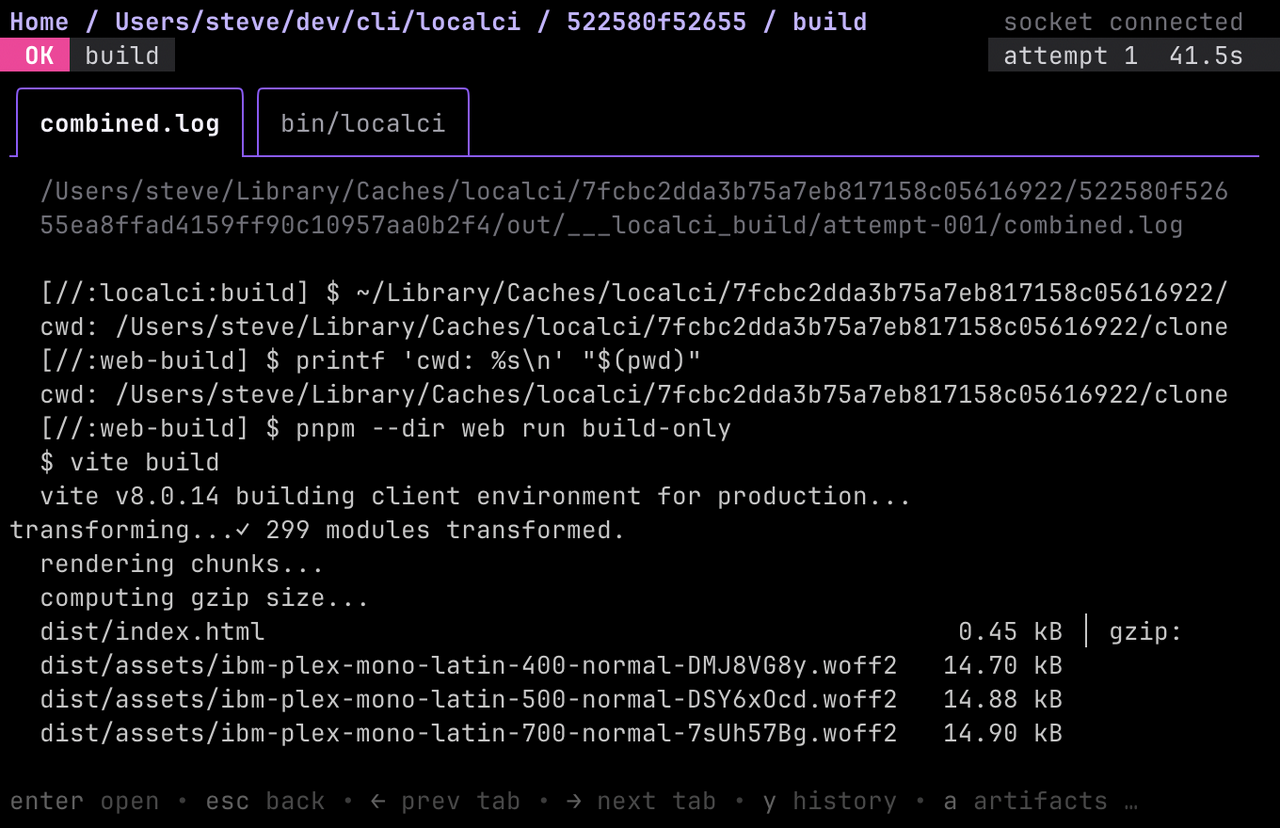
With the TUI (localci dash), you can browse results interactively, and it live updates.
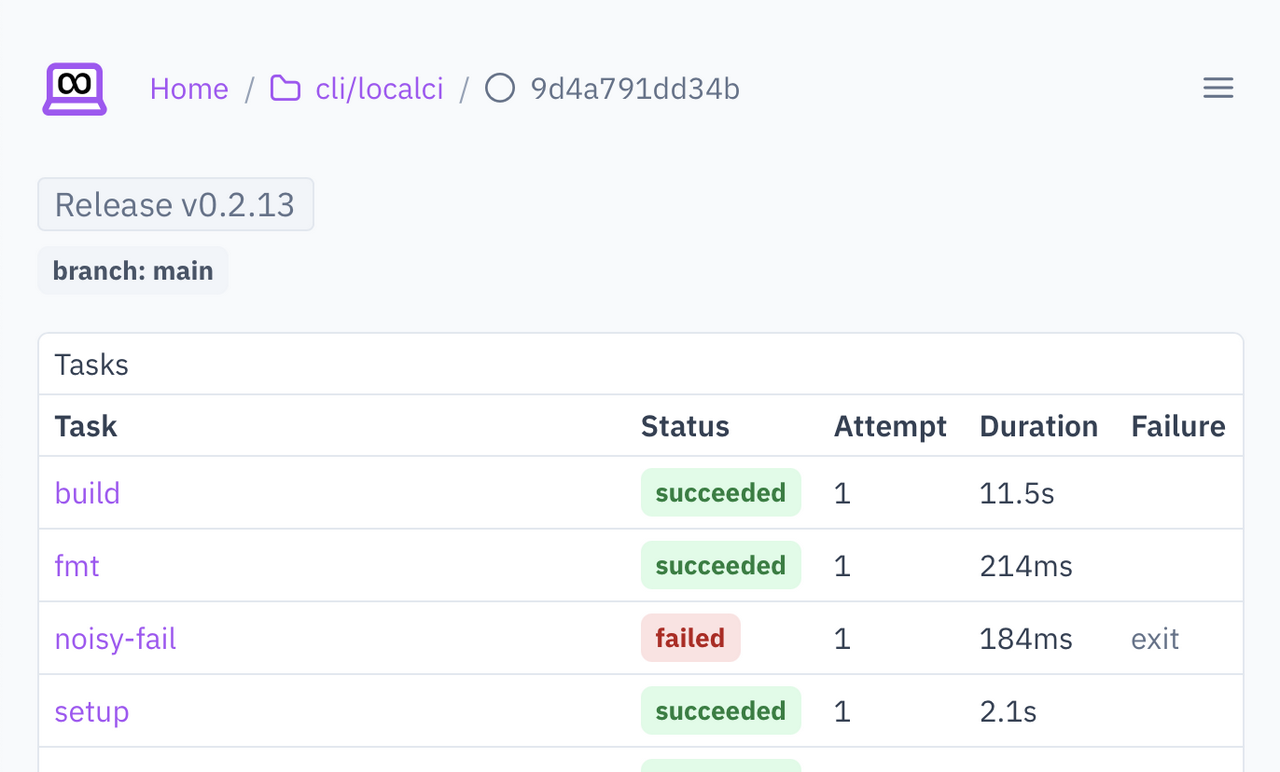
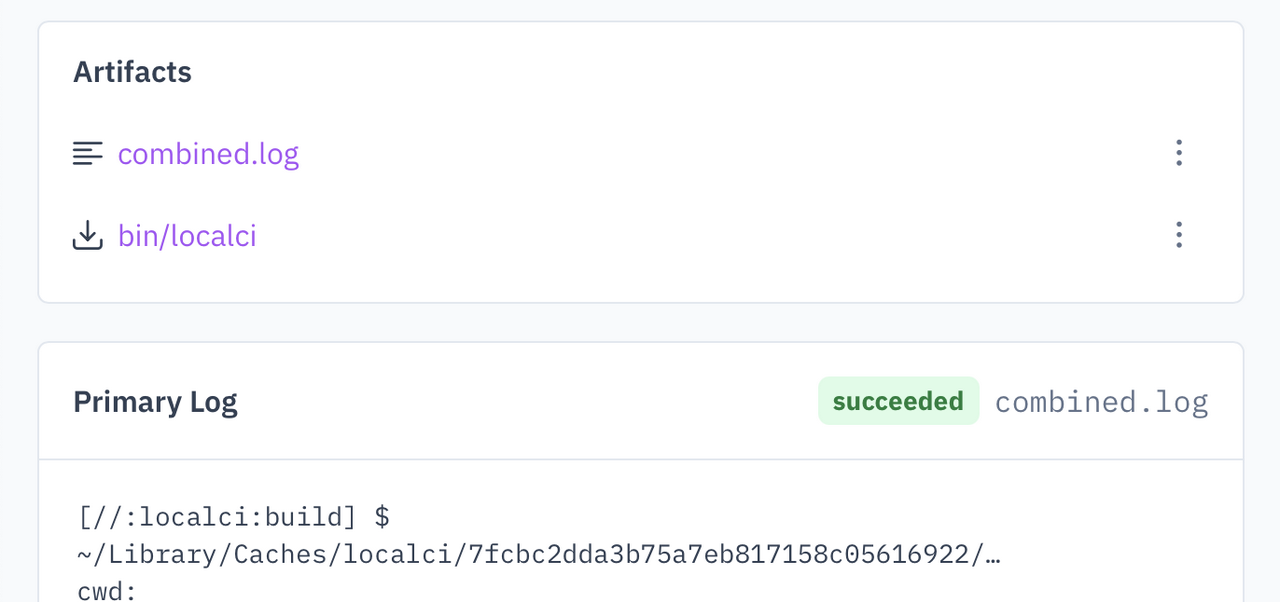
And if you prefer a traditional SaaS-like web interface, you can run locali web to open it.
Getting fancy
With all built artifacts available locally, and a web server running, LocalCI can give you more options than cloud-based CI. For example, if you build documentation, it can serve the HTML. Or if you produce a non-text artifact, you can give yourself multiple options for what to do with it. The options are configurable.
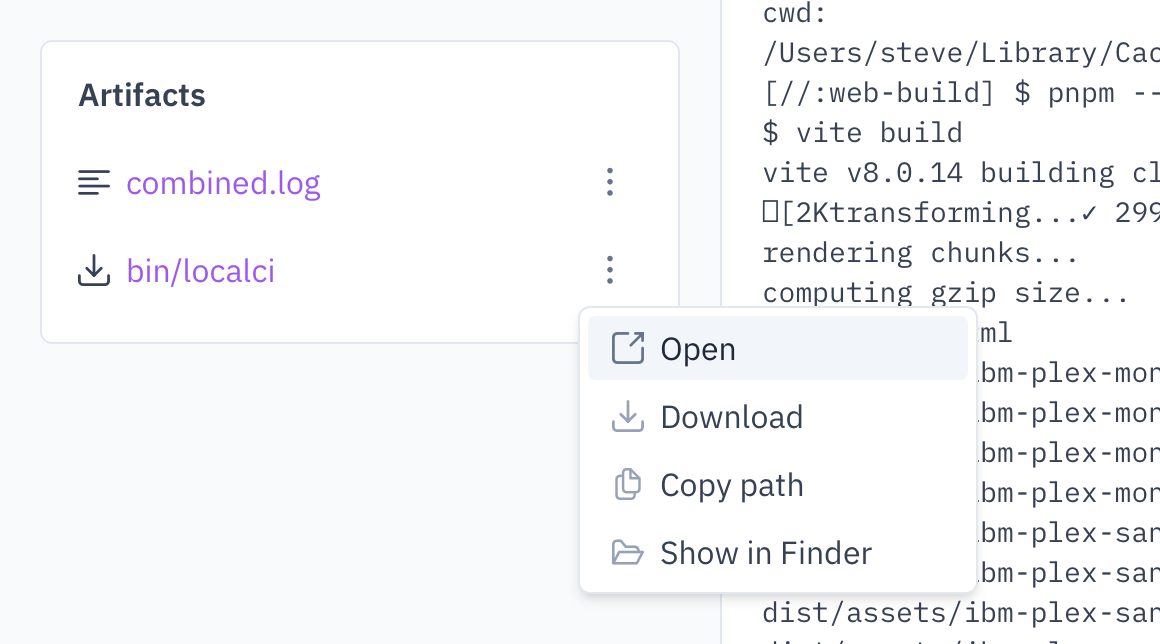
This has been subtly transformative to how I do something as basic as writing documentation for my projects. Usually for HTML project docs, you either run a self-live-updating dev server in a dedicated terminal, or run a build-the-docs command whenever you feel like it. Both have downsides. I dislike dedicating more terminals than necessary to development, so I like to avoid dev servers, but I also hate manually typing my build commands.
With LocalCI, I just commit, and when I want to double check the docs render, I open the web UI and it simply serves me the built docs.
Mise owns the hard parts
CI systems have sophisticated configuration languages to define which tasks run in response to events, and in which order. You are expected to create containers and install all dependencies. Reproducing this logic myself would have been a big API surface and an implementation with many edge cases and possible bugs.
Rather than requiring a special config file for LocalCI, I decided to use Mise. It’s a dev tool manager and task runner which can handle dependencies, parallelism, secrets, environment variables, and more. It has its own config file and more than enough features to support LocalCI’s use case.
The core idea is that LocalCI will run every task with a localci: prefix, starting with localci:setup if present. As an example, here’s part of LocalCI’s own mise.toml file:
[tools]
node = "24.11.0"
pnpm = "11.2.2"

[tasks."localci:setup"]
description = "Install dependencies for cloned localci runs"
run = [
  "mise trust",
  "mise install",
  "pnpm --dir web install --frozen-lockfile",
]

[tasks."localci:web-build"]
description = "Make sure the web bundle builds"
run = "pnpm --dir web exec vite build"
I’m not sure how well this scales past individuals
LocalCI has been a dream workflow for my hobby projects. Being 100% self-sufficient on my laptop means I can work on anything, any time, anywhere, without adding drudgery.
But when I think about bringing it to a job, I imagine it living alongside an existing CI system, requiring people to duplicate validation commands as Mise tasks, or move the source of truth to Mise and have the CI system call the Mise task, or something else. I’m really curious if anyone has thoughts on how to make this work well. The localci: Mise task convention was a choice I made quickly, but it might not be the best or only option.